
Modernizing a 20-Year-Old Inventory Management System
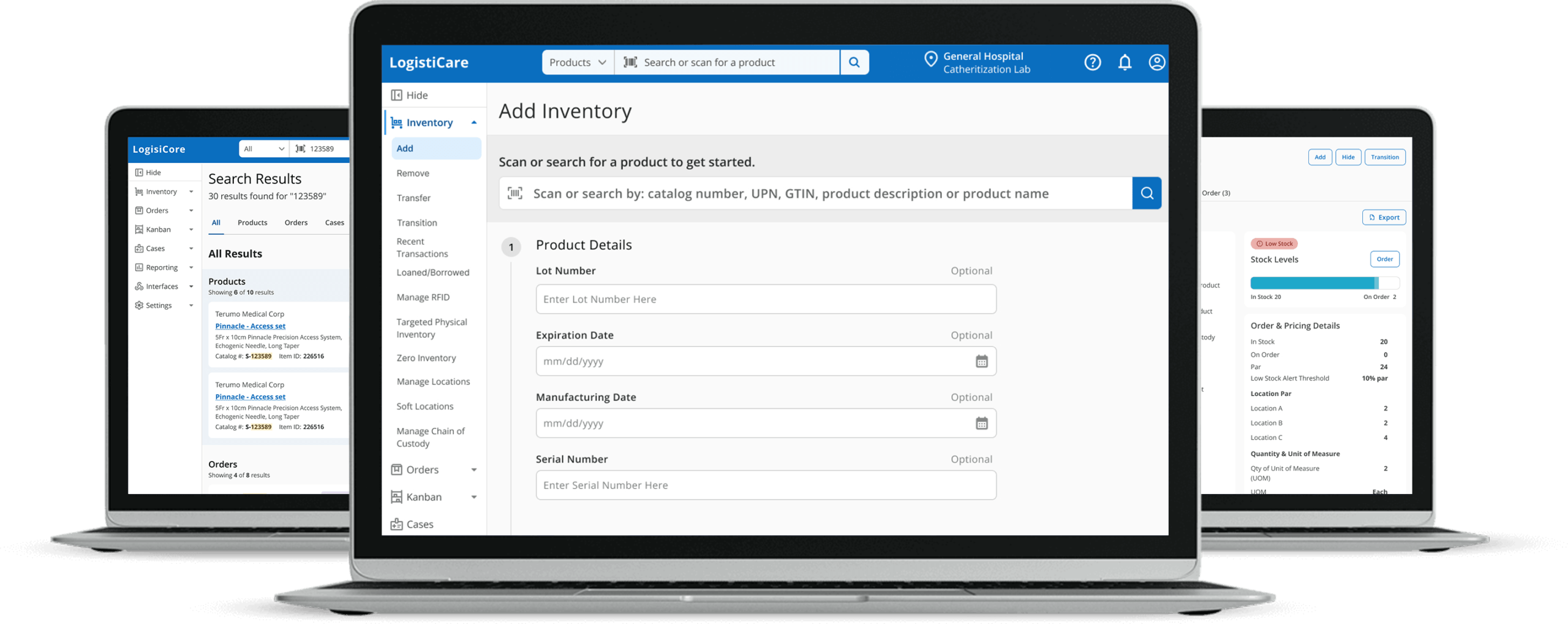
Role: Lead UX/UI Designer
Focus:
- Navigation redesign
- Global Search
- Product Details View
Impact: Unified fragmented workflows into a more scalable, MVP-ready experience
Understanding the Problem
Through system evaluation, user interviews, and on-site observation, I identified key breakdowns in navigation, workflow efficiency, and data clarity.
What we did:
- Heuristic evaluation of the existing platform
- User interviews and workflow analysis
- On-site observation in hospital settings
What We Learned:
- Hard to learn and navigate
- Click-heavy for common tasks
- Alerts were noisy and often irrelevant
- Poor typography made data hard to scan
Key Insight
Users didn’t need more features.
They needed clarity, orientation, and faster access to what mattered most.
Design Approach
Modernizing a legacy system meant balancing long-term vision with short-term constraints.
I focused on simplifying workflows while ensuring changes could be implemented incrementally.
Building the Future Vision
I developed a future-state vision to guide modernization efforts. While full implementation was paused, it became a north star for incremental improvements.
Navigation
I redesigned the information architecture to reduce fragmentation and simplify how users navigate complex workflows.
Global search centralized access across products, orders, and cases which reduced the need to navigate between modules.
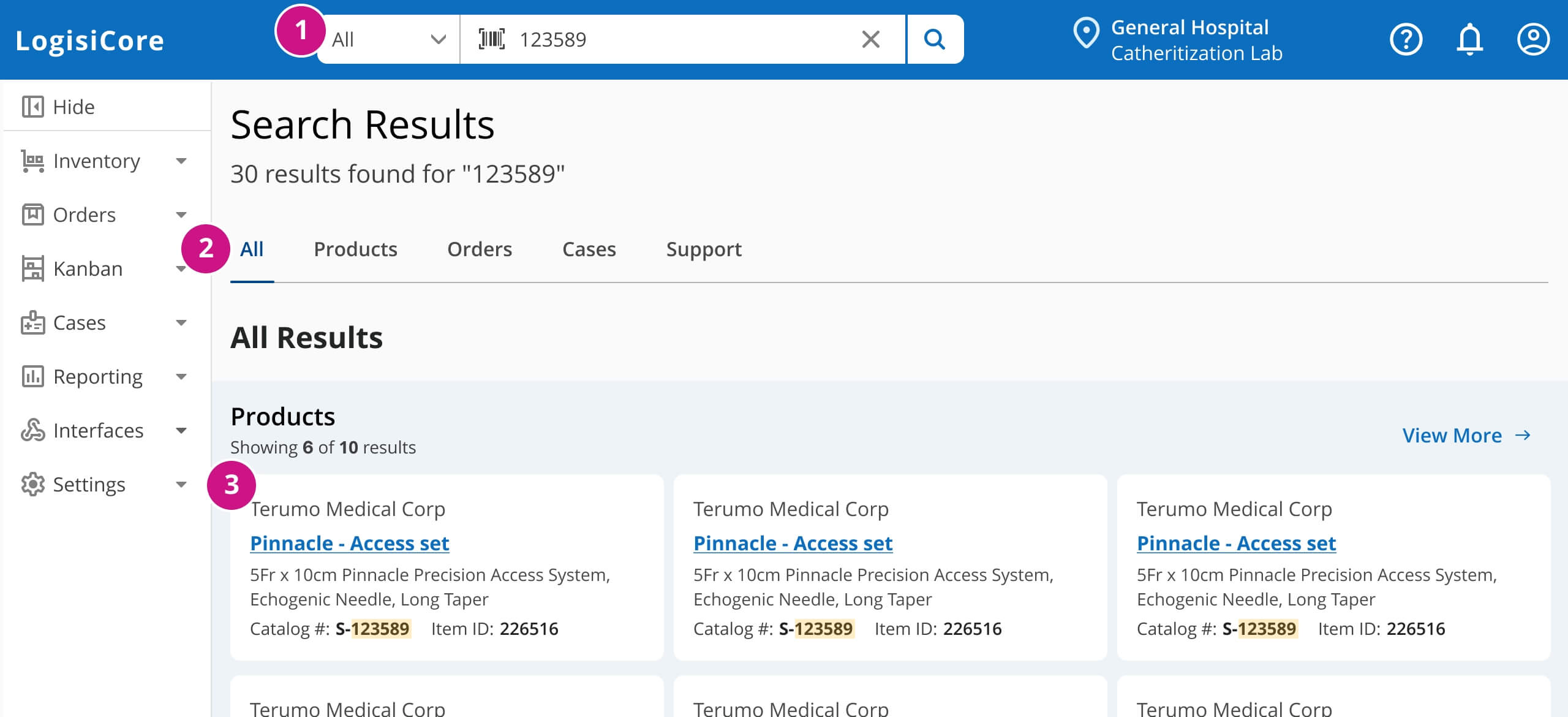
- Filter search by category
- Jump between result types instantly
- Scan key details without opening items
The side navigation improved orientation and could be collapsed to create more workspace.
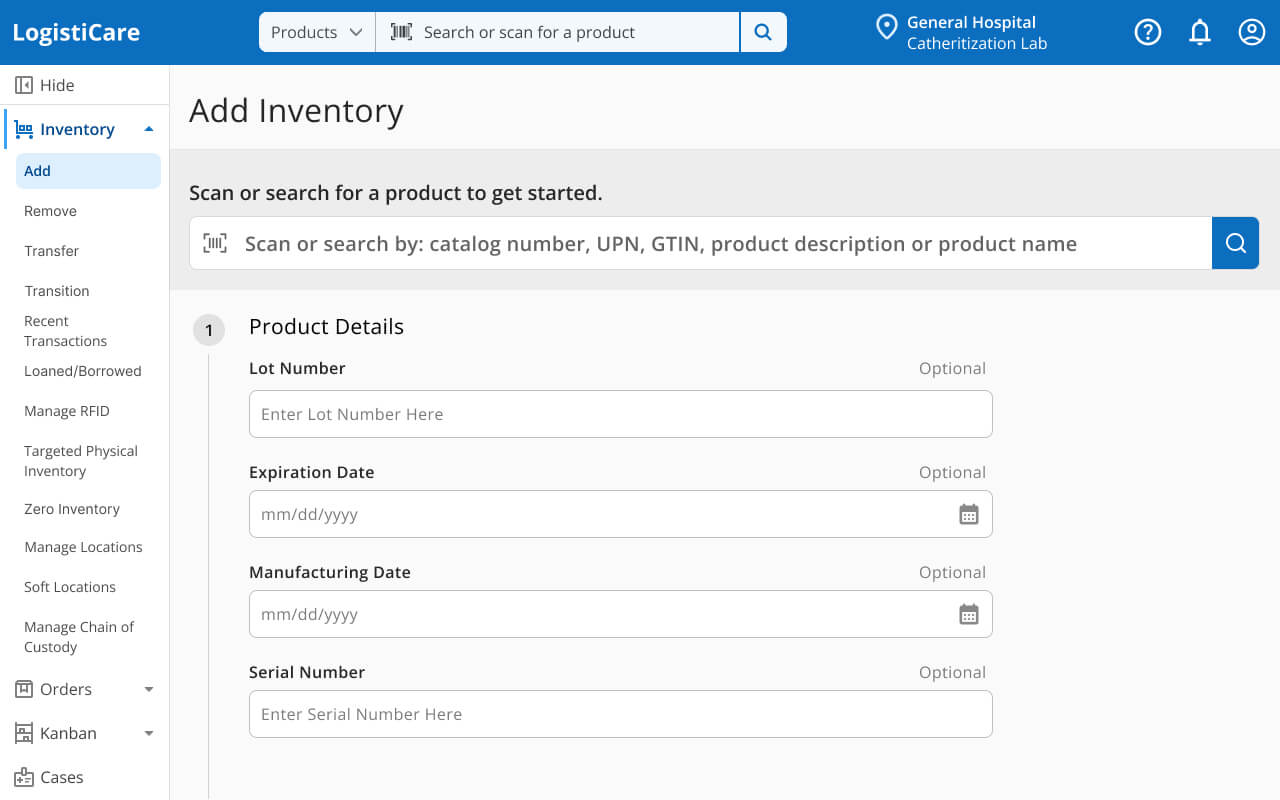
Expanded navigation with clear location context
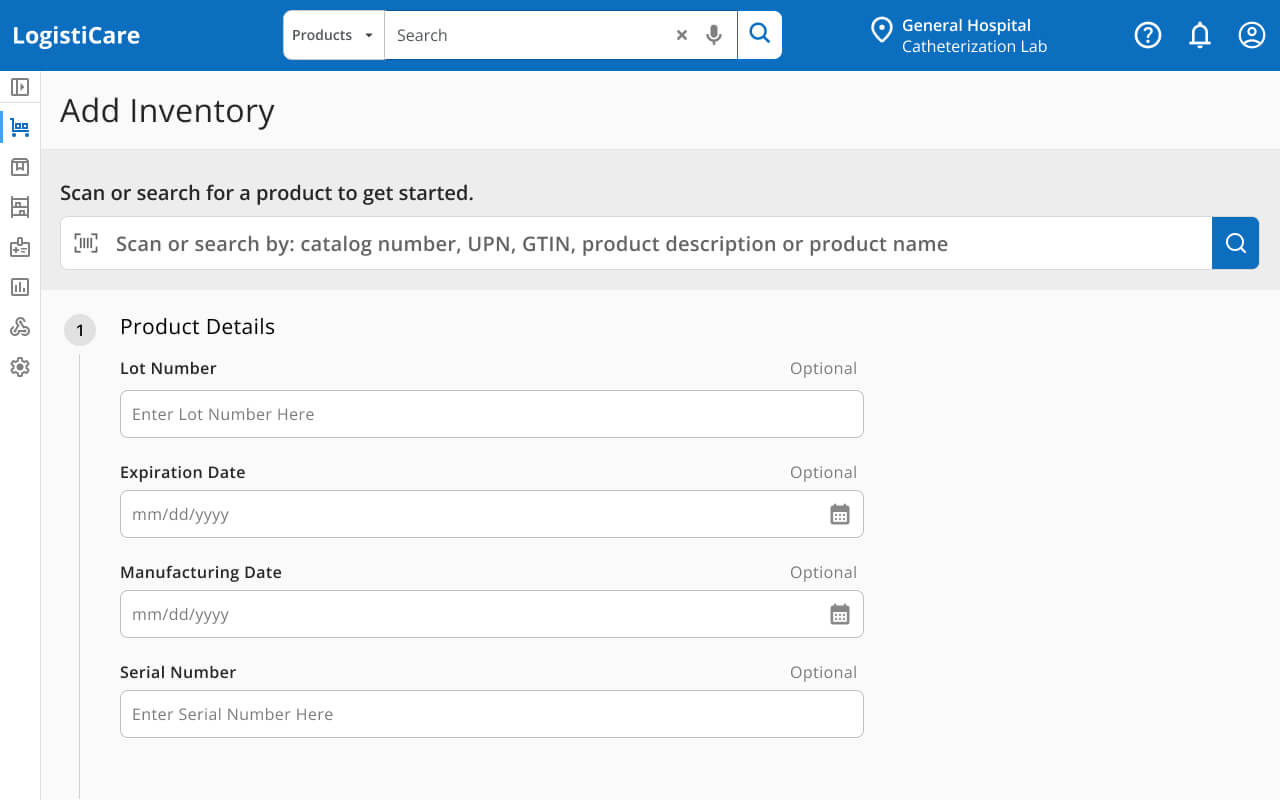
Collapsed navigation for focused workspace
Product Details
The Challenge: Consolidating a Fragmented Inventory Lifecycle
The Product Details experience was fragmented and inefficient.
“View” mode lacked critical information, while “Edit” mode overloaded users with unnecessary fields forcing them into a high-risk state just to find what they needed.
The goal was to replace this with a single source of truth that provided a complete picture of a product from intake to final disposition.
The Product 360 view consolidated product details, inventory, and usage into a single interface which eliminated the need to switch between “view” and “edit” modes.
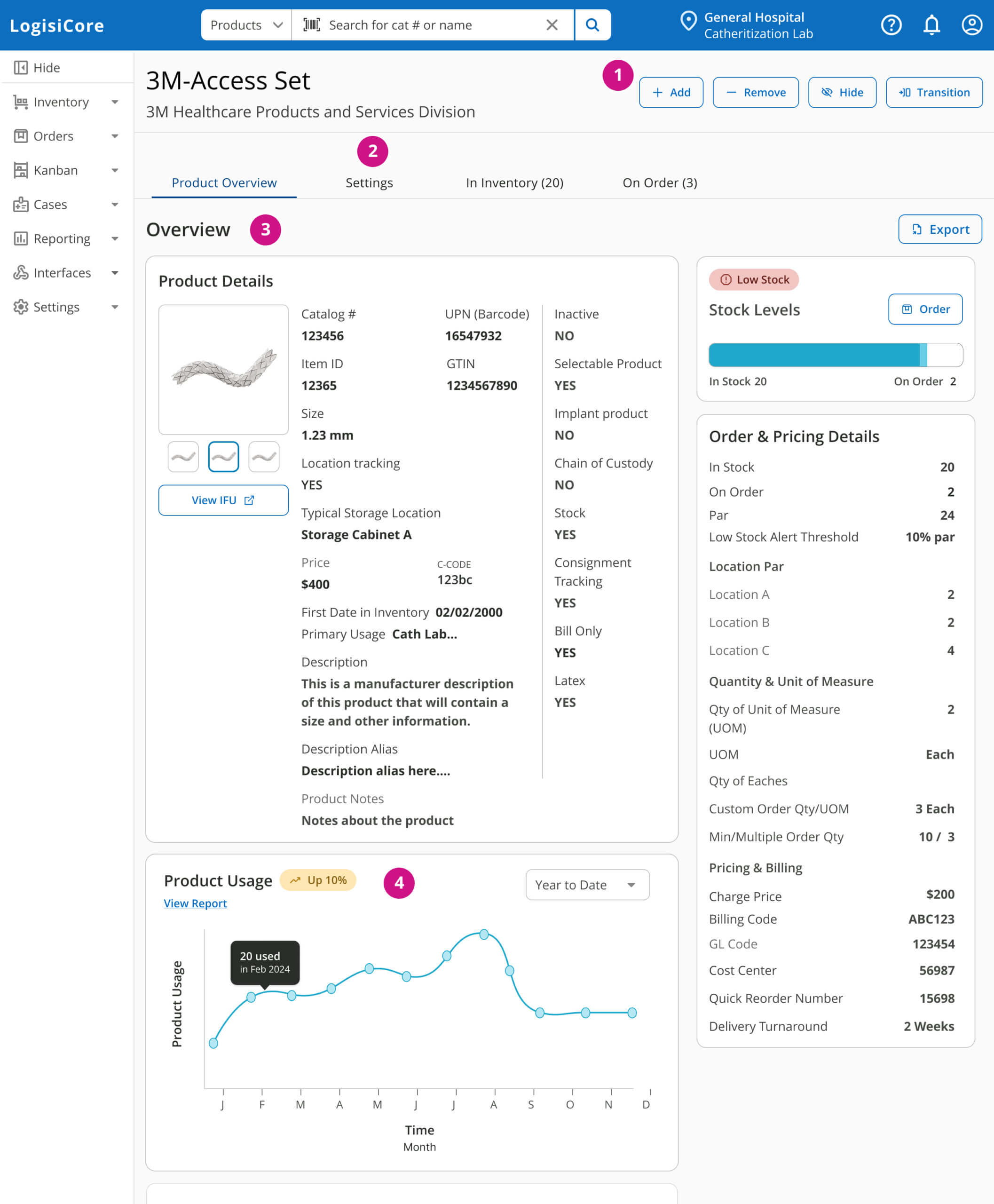
- Actions user can take on product
- View and edit settings in context
- All product details in one view
- Usage trends support inventory decisions
Reflection
This work laid the foundation for a more scalable, user-centered system. While full usability testing wasn’t feasible, early feedback validated improved findability and reduced workflow friction. Future iterations would focus on expanding Product 360 capabilities and validating navigation patterns with end users.
Let's Connect!
Hi I'm Jill! I have 13 years of experience in design, primarily in healthcare. I focus on creating clear, well-crafted experiences for complex systems. Let’s connect.